Workshop software for car & motorcycle garages
Quote it. Fix it. Bill it. All in one place.
MotorTech OS brings customers, vehicles, parts, job cards and invoicing together in a single system — and lets AI handle the paperwork, from supplier invoices to vehicle registration documents.
A live, guided walkthrough tailored to how your shop actually runs. No strings attached.
- 6 user roles with tailored permissions
- 18 ready-made reports
- 3 AI engines to choose from
- SDI Italian e-invoicing built in
Plays nicely with the tools you already use
- Fatture in CloudE-invoices delivered to Italy's SDI
- Anthropic · OpenAI · GeminiReading documents and logbooks
- Plate RecognizerNumber plate recognition from a camera
- Desktop scannersScan delivery notes and logbooks directly
- Email & calendarEstimates, invoices and .ics invites to customers
See it at work
A day at the workshop, minus the paperwork
These are real screen recordings of the software running on sample data — no glossy mock-ups. What you see is exactly what you get.
Sped up for brevity.
End to end
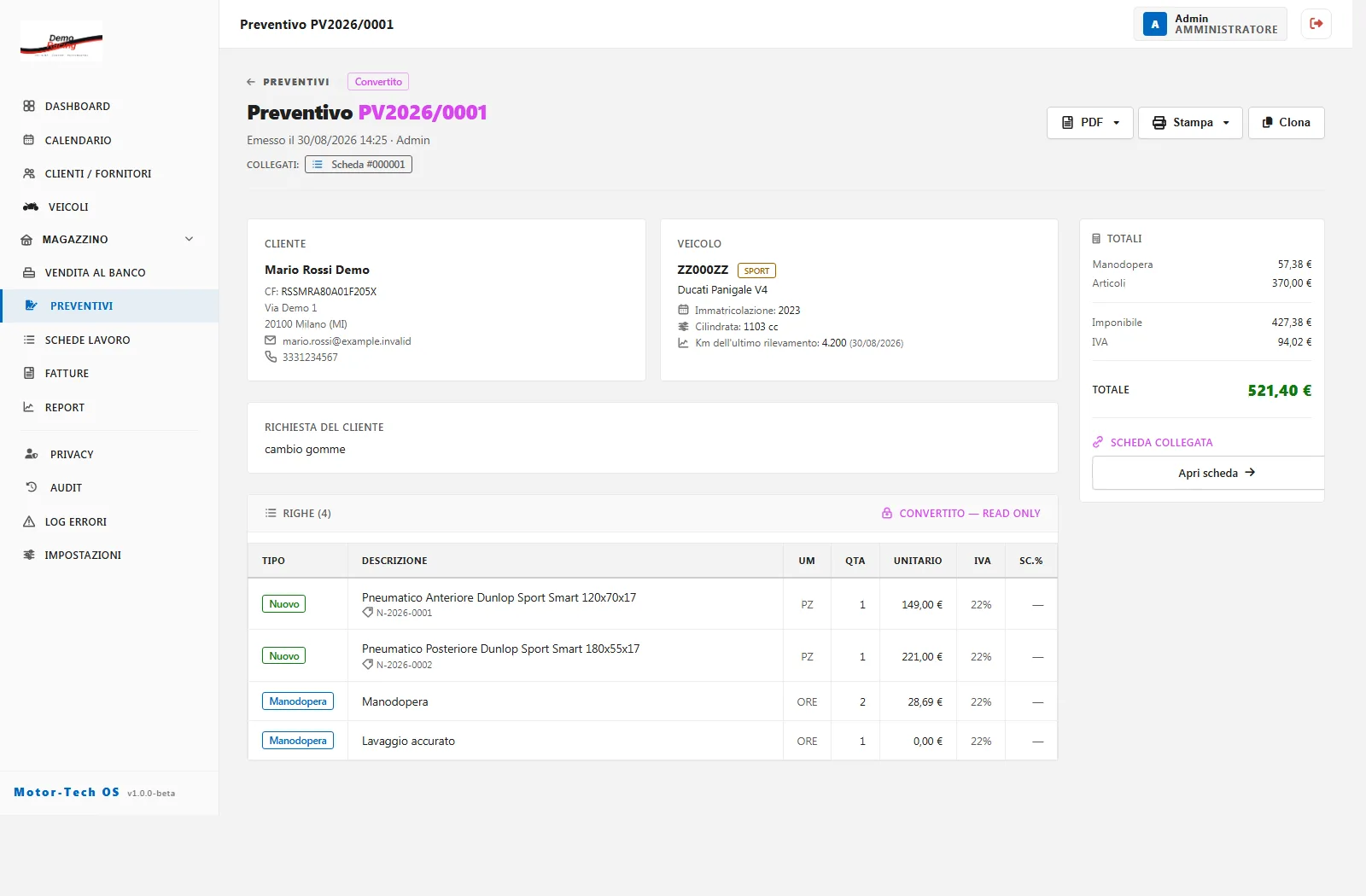
Every job follows one continuous thread
Each document flows into the next, so nothing gets retyped and nothing slips through the cracks. From any invoice, you can trace the job all the way back to the original estimate.
-
1
Estimate
Parts, labour, discounts and deposits — emailed to the customer as a PDF.
-
2
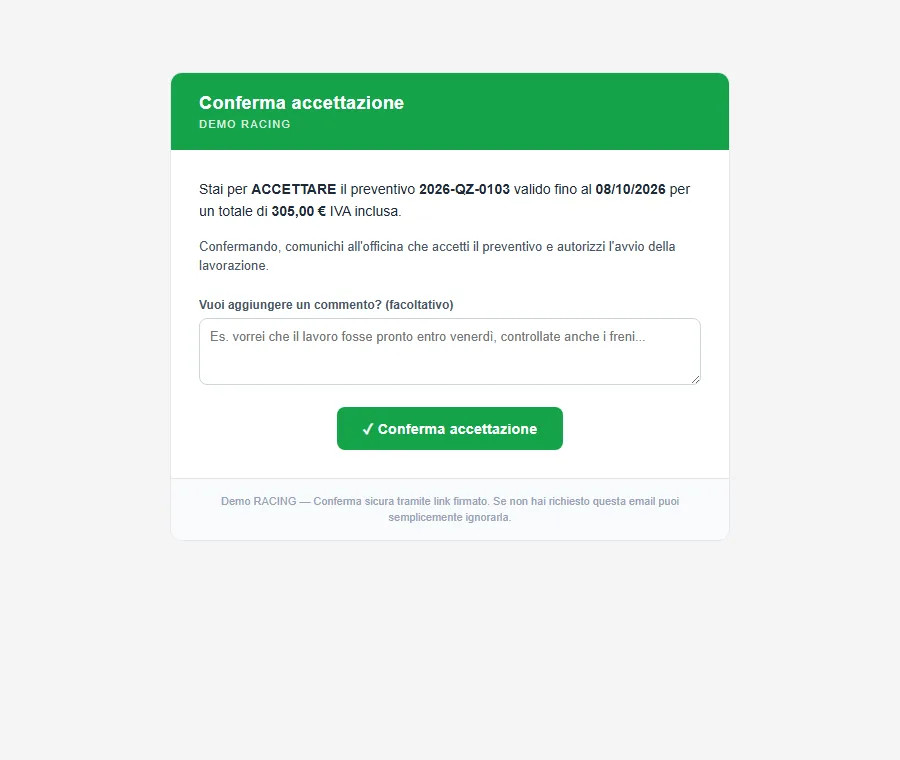
Online approval
Customers accept or decline through a secure link, and can leave you a note.
-
3
Job card
Drop-off mileage, vehicle photos and tasks to assign to your mechanics.
-
4
E-invoice
Issued from the job card in one click and sent straight to the tax authority.
-
5
Payment & margins
Deposits, balances and payment methods — plus what each job really earned you.
Artificial intelligence
Let AI do the data entry
The most tedious bits of admin, done in seconds. You stay in charge: nothing is saved until you check it and click confirm.
-
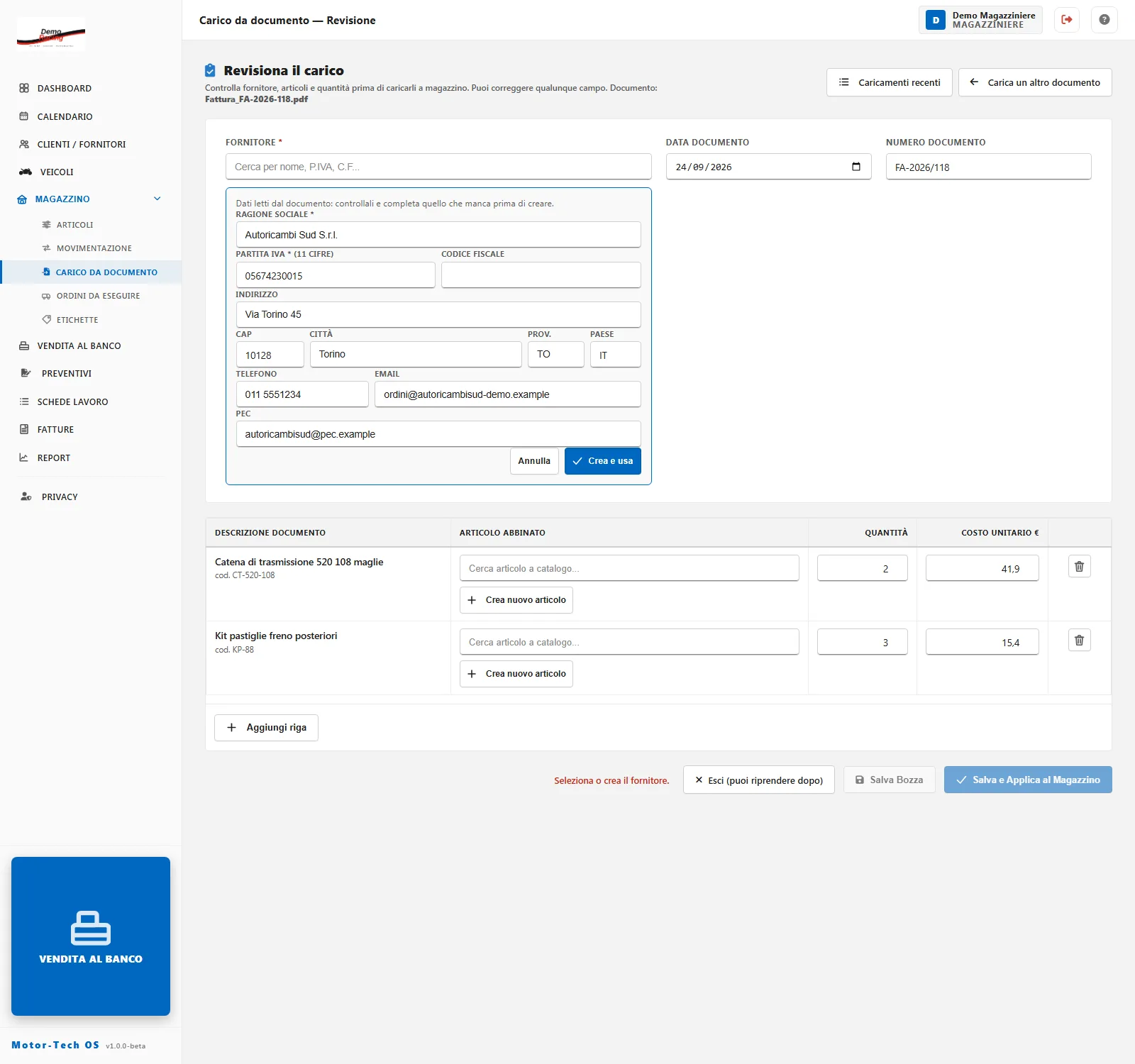
Book in stock from a delivery note
Snap or upload a supplier's delivery note or invoice. Items, quantities, prices and the supplier are read and matched to your catalogue — and next time, the matches are remembered.
-
Vehicles filled in from the logbook
Scan the registration document and the plate, VIN, make, model, registration date and specs fill themselves in. Anything uncertain is highlighted, so you know what to double-check.
-
Number plates read by your phone
Point your phone at a plate and the vehicle comes straight up, with its latest mileage. Open a job card from there, photos already attached.
Works with Anthropic Claude, OpenAI or Google Gemini — you choose the engine.
Everything you need
One system, your whole workshop
Built alongside people who spend their days in the workshop — cars or bikes, road or track.
-
New, used & reconditioned parts
Stock levels, bin locations and reorder points. Used parts are tracked piece by piece, with photos and condition notes.
-
Supplier orders
When a part is missing, the order drafts itself. When the goods arrive, booking them in closes it.
-
Calendar & bookings
Month, year or list view — track days included. Customers get the booking straight into their own calendar.
-
Counter sales
Receipts and simplified invoices for walk-in customers picking up a part or an accessory.
-
Fitment by model
Link parts to the vehicle models they fit and find them the moment you need them, backed by a public model catalogue.
-
Labels & barcodes
Print shelf-ready labels with part number, location and price.
-
18 ready-made reports
Revenue, takings by payment method, real margins, turnaround times and mechanic performance. Export to PDF or CSV.
-
Margin VAT on used parts
The margin scheme register builds itself from your sales of used and reconditioned parts.
-
Privacy & GDPR
Collect consent on paper, by email or via QR code. Anonymise customers on request without touching invoices already issued.
-
Bring your data with you
Import customers, suppliers, vehicles and stock from CSV files, using the templates we provide.
-
Right there on the shop floor
Runs in the browser on desktops, tablets and phones. In kiosk mode, any phone becomes a plate reader.
-
Know what every job earns
See the profit on labour and parts for every estimate and invoice — not just the grand total.
The right access for everyone
Six roles, each seeing just what they need
Mechanics work their own job cards without seeing prices, the office handles invoices and payments, and the parts desk runs the counter. You fine-tune the permissions.
-
Administrator
Full access, including settings, users, permissions and the activity log.
Sees prices -
Office
Invoices, estimates, bookings, customer records and privacy.
Sees prices -
Workshop manager
Every job card and every estimate, including assigning work.
Sees prices -
Mechanic
Picks up their own job cards, ticks off tasks and signs them off.
Prices hidden -
Parts manager
Inventory, deliveries, supplier orders, counter sales and estimates.
Sees prices -
Viewer
Can look at everything, but can't change a thing.
Prices hidden
Security & control
Your data stays safe — and stays yours
Every workshop gets its own dedicated installation, so your customers and your figures are never mixed up with anyone else's.
-
Two-factor authentication
Use an authenticator app on one device or several, with recovery codes for emergencies.
-
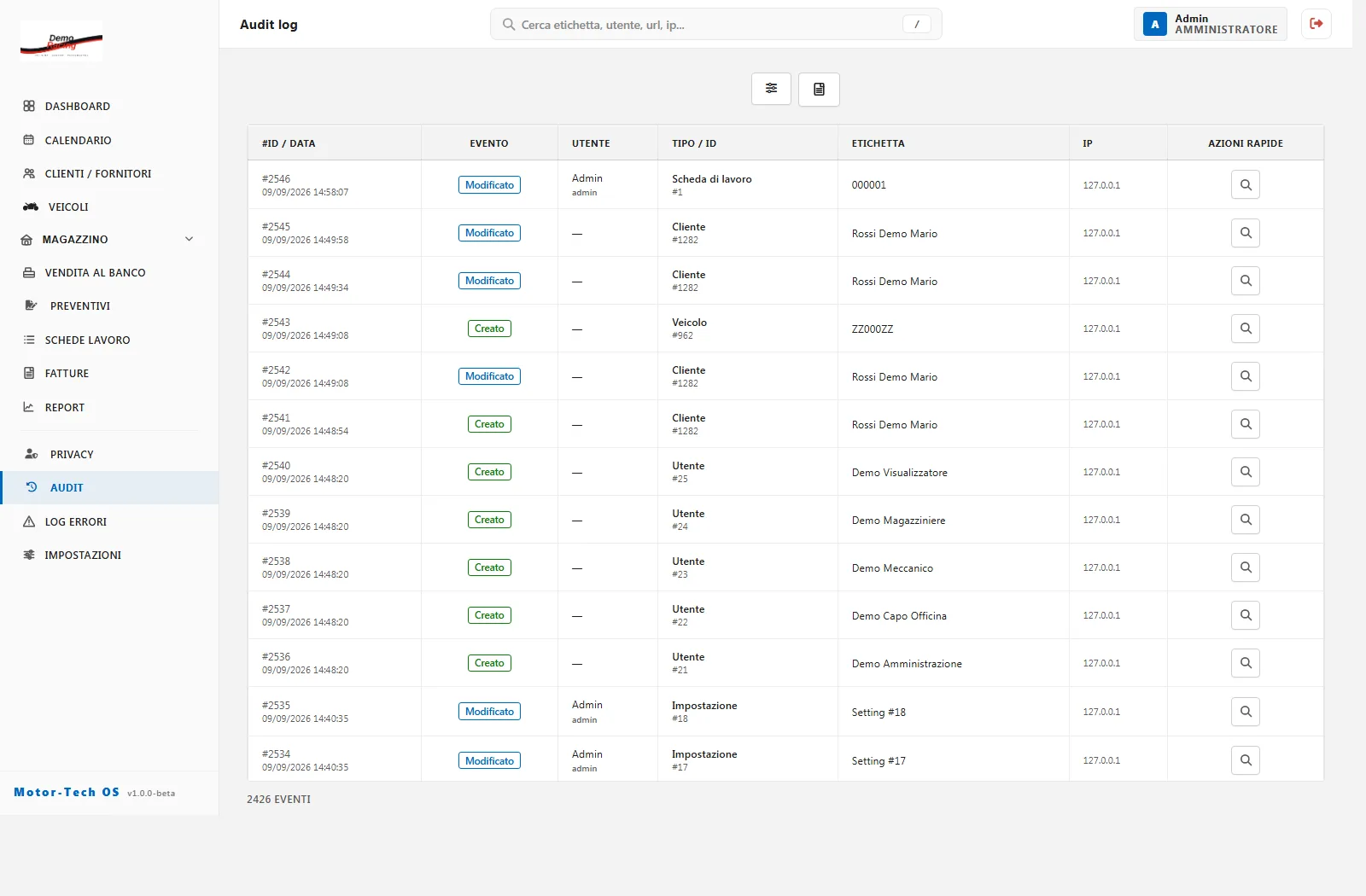
Full activity log
Who did what, and when — every edit, invoice and deletion, always on record.
-
Tailored permissions
Each role has its own set of permissions, which the administrator can adapt to your shop.
-
Backups & monitoring
Automatic database backups, plus storage, usage and error-log monitoring.
Ready to see your workshop run smoother?
Tell us how your shop works and we'll show you MotorTech OS on real-life jobs.
FAQ
Before you book a demo
Do I need to install anything?
No. MotorTech OS runs in your web browser on desktops, tablets and phones. Each workshop gets its own dedicated installation, which we look after for you — updates, backups and security certificates included.
Can I bring over my existing data?
Yes. Customers, suppliers, vehicles and stock can all be imported from CSV files using our templates, and we'll help you prepare them when you get started.
Is e-invoicing included?
Yes. Invoices are issued from MotorTech OS and delivered to Italy's SDI e-invoicing system via Fatture in Cloud. You can always download the XML file too.
Does it work for motorcycle shops and race teams?
That's where it was born. It handles cars, bikes and vans, track-only vehicles with no plates, track days in the calendar, and used and reconditioned parts under the margin VAT scheme.
How much does it cost?
A monthly subscription based on the size of your workshop and the services you switch on, such as document storage and AI. After the demo we'll send you a tailored quote — no hidden extras.
What happens in the demo?
We'll get on a video call for about half an hour, walk you through the software using situations from your own workshop, and answer your questions. Just fill in the form below and we'll be in touch.
Book a demo
See MotorTech OS in your own workshop
It only takes a couple of minutes. We'll get back to you within one business day to set up your demo.
- A live, guided demo built around your own jobs
- A tailored quote, with no obligation
- Help importing your existing data